

You do not need a $150 flagship to compete. The gap between budget and premium gaming mice has shrunk dramatically over the past couple of years and in 2026 you can find a mouse with a rock-solid optical sensor, durable switches and a comfortable shape for well under $50. If your clicks are landing late or your cursor is jittering mid-fight the problem might not be your aim it might be your mouse.
This guide breaks down the best budget gaming mice of 2026 what actually matters when shopping on a budget and how to pick the right one for your grip style and games.
What to Look for in a Budget Gaming Mouse
Before buying, focus on the features that matter most:
Good Sensor: Accurate tracking is more important than high DPI.
Durable Switches: Look for switches that can handle millions of clicks.
Comfortable Weight: Lighter mice are great for quick movements.
Wired or Wireless: Wired is usually cheaper, while wireless gives you more freedom.
Right Grip: Choose a shape that feels comfortable with your palm, claw or fingertip grip.
Top Budget Gaming Mice in 2026
1. Logitech G305 Lightspeed — Best Budget Wireless
This gaming mouse is a reliable choice for smooth and fast gameplay. It has a 12,000 DPI sensor, lag-free wireless performance and up to 250 hours of battery life. Its lightweight ambidextrous design is comfortable for both left- and right-handed gamers. The only downsides are the six programmable buttons and lack of RGB lighting.
Best for: Wireless FPS and everyday gaming on a budget.
Pros:
Reliable, lag-free LIGHTSPEED wireless
Excellent battery life (up to 250 hrs)
Lightweight, ambidextrous shape
Cons:
Only 6 programmable buttons
No RGB lighting
Rubberized scroll wheel ridges feel sharp to some users

Logitech G305 Lightspeed — Best Budget Wireless
The Logitech G305 Lightspeed is a lightweight wireless gaming mouse with accurate tracking, long battery life, and responsive performance. It is a great budget choice for FPS gaming and everyday use.
2. Corsair Katar Pro XT — Best Overall Value
This lightweight wired mouse is a great budget choice for gamers. It offers precise tracking and a comfortable shape for claw and fingertip grips. It keeps things simple without RGB or unnecessary software, making it a solid pick for competitive gaming.
Best for: Competitive FPS players who want a wired mouse that just works.
Pros:
Precise, jitter-free optical sensor
Very lightweight for fast flicks
No unnecessary software bloat
Cons:
Wired only, no wireless option
Fewer buttons than higher-end models
Minimal aesthetic customization

Corsair Katar Pro XT — Best Overall Value
The Corsair Katar Pro XT is a lightweight wired gaming mouse with accurate tracking and a comfortable design. It is a solid budget option for FPS players who want fast and reliable performance.
3. Redragon M686 Vampire Elite — Best Budget Wireless (Feature-Packed)
If you want extra buttons and more control without spending a lot this mouse is a solid choice. It feels well built and gives you plenty of programmable buttons making it especially useful for MOBA and MMO games.
Best for: Players who want more buttons for game and app shortcuts.
Pros:
More programmable buttons than most rivals at this price
Solid build quality for the cost
Good fit for MOBA/MMO shortcut-heavy playstyles
Cons:
Slightly heavier than pure-FPS competitors
Wireless mode can feel less polished than premium brands
Software can feel clunky compared to bigger brands

Redragon M686 Vampire Elite — Best Budget Wireless (Feature-Packed)
The Redragon M686 Vampire Elite is a feature-packed wireless gaming mouse with multiple programmable buttons and a comfortable design. It is a great budget choice for MOBA and MMO gamers who need extra controls.
4. Razer Cobra — Best Compact Budget Pick
This compact and lightweight mouse is a great option for gamers who prefer a smaller design. It works well with fingertip and claw grips and gives you Razer’s reliable sensor performance at a more affordable price.
Best for: Fingertip-grip players and smaller hands.
Pros:
Trusted Razer sensor reliability at a budget price
Compact, low-profile shell
Great for smaller hands and fingertip grip
Cons:
Too small for palm-grip or larger hands
Fewer buttons than bigger Razer models
Battery life is average compared to wireless rivals

Razer Cobra — Best Compact Budget Pick
The Razer Cobra is a compact and lightweight gaming mouse with accurate tracking and a comfortable design. It is a great budget pick for gamers with smaller hands or those who prefer a fingertip or claw grip.
5. Microsoft Classic IntelliMouse — Best for All-Around Use
This mouse is not made specifically for gaming but its 3200 DPI sensor, five programmable buttons and comfortable design make it great for casual gaming and everyday use. It is wired but still offers reliable performance at an affordable price.
Best for: Casual gamers and everyday desk use.
Pros:
Classic, comfortable ergonomic shape
Reliable for both work and casual gaming
Durable build with a proven design history
Cons:
Wired only
Not designed for competitive gaming
Right-handed shape only not ambidextrous
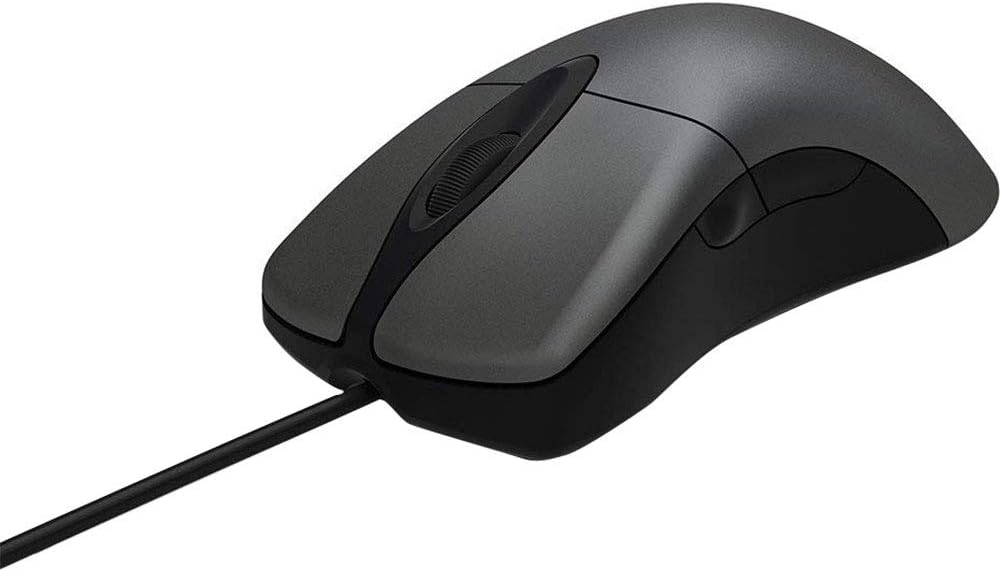
Microsoft Classic IntelliMouse — Best for All-Around Use
The Microsoft Classic IntelliMouse is a comfortable wired mouse with a reliable sensor and ergonomic design. It is a good choice for casual gaming, everyday work, and users who want one mouse for both.
6. Attack Shark X3 — Best Ultra-Budget Pick
One of the most affordable gaming mice you can find, with a surprisingly good sensor for the price. It may not feel as premium as more expensive models but it is a great choice for beginners getting into PC gaming.
Best for: First-time PC gamers or a backup mouse.
Pros:
Extremely low price point
Surprisingly capable sensor for the cost
Good entry point for new PC gamers
Cons:
Build materials feel noticeably cheaper
Software features are limited
Not built for heavy, long-term competitive use

Attack Shark X3 — Best Ultra-Budget Pick
The Attack Shark X3 is a lightweight and affordable gaming mouse with a capable sensor and responsive performance. It is a great ultra-budget option for beginners and casual PC gamers.
7. VXE R1 SE+ — Best for Lightweight Flick Shots
This lightweight mouse is made for fast-paced gaming and quick movements. Its featherlight design helps with fast flicks and smooth aiming, making it a great budget option for FPS players.
Best for: Competitive shooter players who prioritize ultra-low weight.
Pros:
One of the lightest mice in its price class
Great for rapid flick shots and fast reflexes
Very affordable
Cons:
Minimal button count
Basic materials and finish
Less comfortable for longer, relaxed sessions
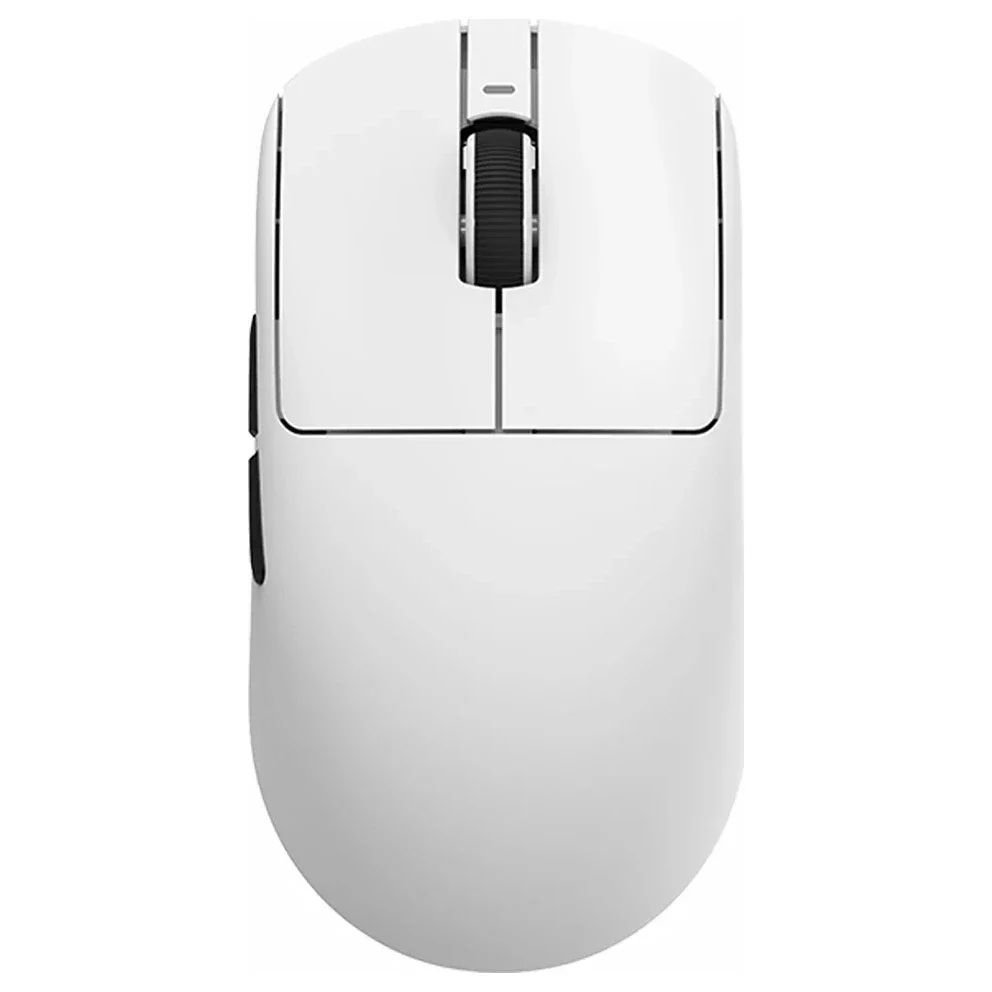
VXE R1 SE+ — Best for Lightweight Flick Shots
The VXE R1 SE+ is an ultra-lightweight gaming mouse designed for fast movements and quick flick shots. It is a great budget choice for FPS players who want speed, control, and easy handling.
Budget Gaming Mouse Comparison
Mouse | Best For | Connection | Approx. Weight |
Logitech G305 Lightspeed | Wireless FPS | Wireless | ~99g |
Corsair Katar Pro XT | Overall value | Wired | ~96g |
Redragon M686 Vampire Elite | Extra buttons | Wireless | ~90g |
Razer Cobra | Compact grip | Wired | ~72g |
Microsoft Classic IntelliMouse | Everyday use | Wired | ~120g |
Attack Shark X3 | Ultra-budget | Wired | ~65g |
VXE R1 SE+ | Lightweight flicks | Wired | ~55g |
Common Pain Points (And How to Fix Them)
Even a good budget mouse can have small issues. Here are some common problems and simple fixes:
Jittery cursor: Use a proper mousepad instead of glass or glossy surfaces.
Wireless delay: Connect the receiver directly to your PC and check the polling rate.
Hand fatigue: Try a lighter mouse or one that better matches your grip.
Double-clicking: Choose durable switches rated for millions of clicks.
Slippery grip: Look for textured sides or add grip tape.
Poor aim: Start around 800–1600 DPI and adjust your in-game sensitivity.
Quick Tip: When buying a budget gaming mouse, focus on the sensor, weight and comfort before RGB or extra buttons.
Final Thoughts
You do not have to overspend to game competitively in 2026. Whether you want the all-around reliability of the Logitech G305, the no-frills precision of the Corsair Katar Pro XT, or an ultra-light option like the VXE R1 SE+ for fast flicks, there's a budget gaming mouse suited to your grip, games and wallet.
Frequently Asked Questions
The mouse may be too heavy or the shape may not match your grip. Try a lighter mouse or choose a shape that feels comfortable with your palm, claw or fingertip grip.
This can happen when the switches start wearing out. Choose a mouse with durable switches and avoid pressing harder than needed during gameplay.